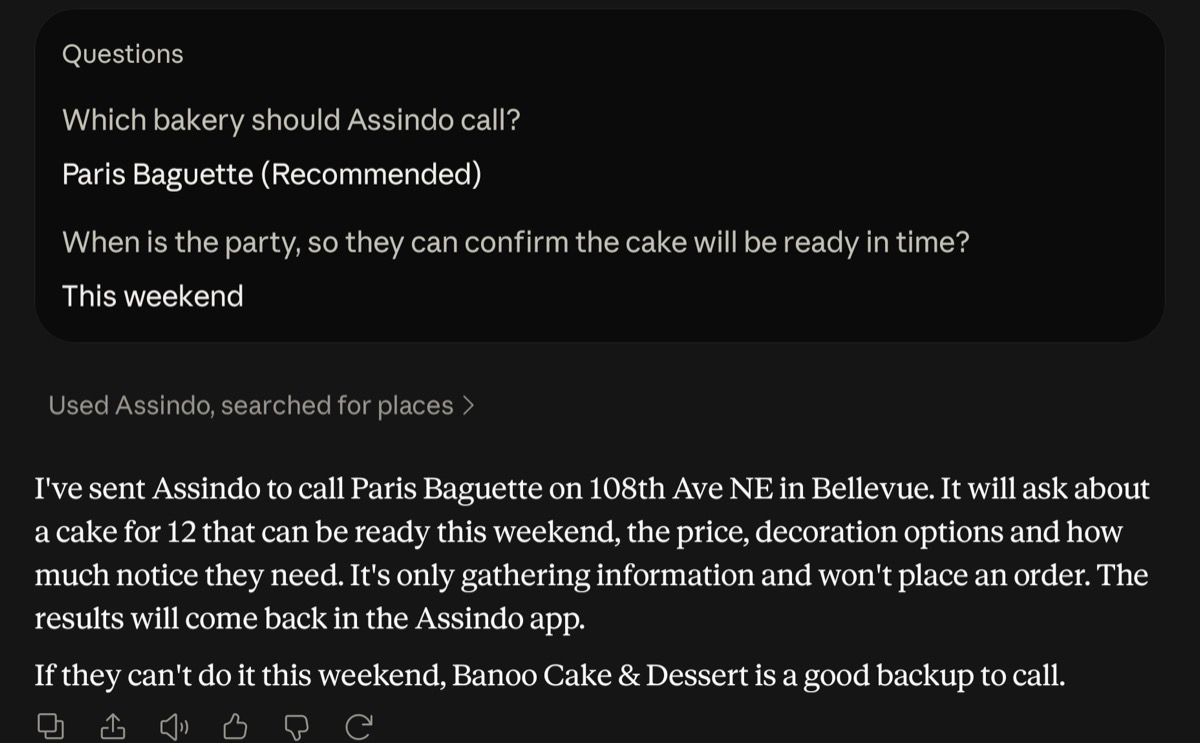
Claude is good at planning a call: figuring out who to ring, what to ask, what to say if they push back. Until now it could not pick up the phone. As of today it can. Assindo is available as a connector for Claude, so you can describe a call in the chat and Assindo, your AI phone assistant, makes it for you and reports back.
What It Looks Like
You ask Claude something like "call a bakery near me and ask if they can make a cake for 12 by Saturday". Claude asks the questions a good assistant would (which bakery, when is the party), then hands the job to Assindo. Assindo phones the bakery, works through any phone menu, asks about the cake, the price, decoration options and how much notice they need, and writes up what they said.
Let Assindo answer your calls and make them for you.
Get AssindoThe call result shows up in the Assindo app, and Claude can fetch it for you too: a few minutes later, ask "how did the bakery call go?" and it reads back the answer.
How to Connect It
1. In Claude, open Settings, then Connectors, then Add custom connector.
2. Paste this address: https://mcp.assindo.com/mcp
3. Sign in with your Assindo account (Google, Apple or email, the same login as the app).
That is all. You need an Assindo account first; if you do not have one, download the app and sign up.
The connector uses MCP, the open standard for connecting AI apps to tools, so other AI apps that support custom MCP connectors with sign-in can use the same address.
What Claude Can Ask Assindo to Do
The connector gives Claude three things, the same things you do in the Assindo app:
- Create a task. A phone call (book, ask, cancel, follow up), a social post on X or LinkedIn, something at a set time ("call them at 9am tomorrow"), or research. Claude writes the full brief, so Assindo has every name, number and detail it needs.
- Check a task's result. Status, what Assindo found out, and the summary of the call. This is how Claude tells you what the bakery said.
- Send Assindo a chat message. Ask what happened on a call, what is on your task list, or hand over a request in plain words.
Why It Works This Way
Claude never dials a number directly. Every call still goes through Assindo's own assistant, with the same rules as in the app: it calls during business hours, it does not redial someone who just declined, it only asks for information when that is all you asked for, and it uses your plan's minutes. Your account, your number and your settings come with you, because you sign in as yourself.
That is deliberate. A phone call reaches a real person on the other end, so the guard rails belong in one place, not in every app that can talk to Assindo.
Good First Things to Try
- "Call the dentist on my insurance list and ask if they are taking new patients."
- "Find a mechanic near me open on Saturday and ask how long an oil change takes."
- "Call the restaurant for Friday and ask if they take reservations for 8 people."
- "Tomorrow at 9am, call my internet provider and ask why my bill went up."
Already using Assindo? Add the connector and ask Claude to make your next call.